East London Printers
DTF Transfer Application Guide
Direct to Film — professional results every time
140°C
Press temperature
15 sec
Press duration
Medium
Pressure
Application steps
1
Pre-press the garment
Place on the heat press for 3–5 seconds to remove moisture and wrinkles. A dry, flat surface is essential.
2
Position the transfer
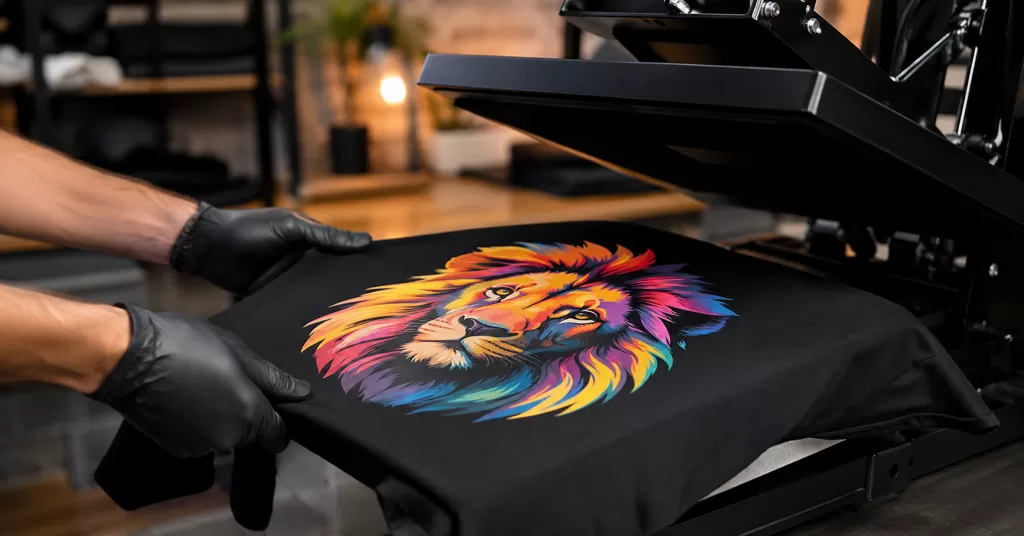
Place the DTF transfer film-side up onto the garment, exactly where you want it.
3
Press at 140°C for 15 seconds
Apply medium, even pressure. Do not move the transfer during pressing.
4
Cold peel
Allow to cool for 10–15 seconds. Peel the film back slowly at a low angle. Do not peel while hot.
5
Final press (recommended)
Cover with a Teflon sheet or parchment paper and press again for 5 seconds to fully bond and smooth the print.
Can I use a household iron?
We don’t offer support for iron application, but it can be done — follow these tips:
NO STEAM — ever. Turn steam completely off. Moisture will ruin the transfer bond.
Temperature: Set iron to the cotton/linen setting (closest to 140°C — most irons don’t show exact temperatures).
Pressure & motion: Press firmly and hold each section for 15+ seconds. Irons have hot spots so work across the entire transfer.
Protect the film: Always place a sheet of parchment paper over the transfer. Never iron directly onto the film.
Peeling: Allow to fully cool before peeling. Results may vary compared to a professional heat press.
Aftercare: Wash inside out at 30°C. Do not tumble dry on high heat. Do not dry clean. This maximises the lifespan of your print.
Artwork guidelines
Important: We print your artwork exactly as supplied. Set your file to the exact size you want printed — we do not resize or reformat artwork unless instructed.
✔ Accepted format
- EPS only — no other formats accepted
- All fonts expanded / converted to outlines
- Transparent background (no white fill)
- Set to exact final print size
✘ Not accepted
- AI, SVG, PDF or any other format
- PNG, JPG or any raster images
- Live / unexpanded text or fonts
- White or coloured backgrounds
- Screenshots or web graphics
◐
Transparent background required
DTF prints the entire file area. Any white or coloured background will print as-is onto the garment.
↦
Set to final print size
Artwork is printed at 100% of the supplied dimensions. An A4 file will print at A4. Double-check your dimensions before sending.
How to expand fonts in Illustrator
Select All → Type → Create Outlines
Ctrl+A then Shift+Ctrl+O
Questions? Get in touch with the ELP team
eastlondonprinters.com/fast-printing-quote/ →